Release Roundup: November 2026
Estimated reading time: 4 minutes
Release Roundup is our new half-termly look at what’s changed on CENTURY.
Since September our releases have focused on giving teachers time back: a redesigned teacher dashboard, whole-class password resets, and automated feedback on handwritten work.
Alice Little, our Chief of Staff and Head of Neuroscience, walks through each update in the video, and there’s a little more on each one below.
A new teacher dashboard
The Teacher Dashboard has had a substantial upgrade. Each class card now shows some important insights from the class, including the progress of its latest assignment: how many students have completed it, the class score, when it’s due and how many students still need chasing. We’ve also added shortcuts to important other features, making it easier to find what you need. You’ll always see links to Assessments, the Wellbeing questionnaire, creating an assignment and Labs, and we’ll be adding other useful links to the top of the page over time.
Whole-class password resets
Teachers can now reset passwords for a whole class in one go, rather than one student at a time. Choose simple passwords made of two short words and two digits (such as car-green-22), which are easier for younger students, or complex passwords of twelve random characters for older students or a stricter policy. You can download the new passwords as a CSV file, with the option of a PDF of printable sign-in cards to hand out or stick in exercise books. To maintain password integrity and security, you can only download the passwords at the point of creation, so make sure to save the file somewhere safe.
Find out how to reset class passwords.
Wellbeing in more languages
The Wellbeing survey is now available in 15 more languages – we said 11 in the video, but we’ve already added more! This means that students can answer the questions in a language they’re comfortable with. You choose the language for each survey window, and any student you’ve set a language for individually keeps it.
Our new Interventions Hub puts ready-to-use resources for every wellbeing domain in one place, organised by educational setting. They range from the Emotions Wheel to “New Here: My First Month Map”, a worksheet for students who have just arrived at a new school, area or country.
Access the Wellbeing Interventions hub.
Writing GENai now reads handwriting
Writing GENai, the creative writing tool in CENTURY Labs, now marks handwritten work. Students can upload photos of up to five pages, at up to 10 MB each, and get AI marking and feedback without typing their writing up first. Good lighting, flat pages and a photo that fills the frame give the best results.
Teachers can also create their own marking rubrics, giving them more control over how writing is assessed. You set each criterion and describe what each score level looks like, either writing the descriptions yourself or having AI generate them from the details you give it, and you can add example essays to anchor the marking.
Find out more about Writing GENai here.
New courses on CENTURY
Six new courses are now available:
- Foundation maths: Year 1 Mathematics (Fluency), for learners who need extra support with the foundations
- KS3 science: Science KS3: White Rose (Year 7), (Year 8) and (Year 9), aligned with the White Rose scheme of work so you can use CENTURY alongside your existing teaching
- Advanced maths for KS4 and above: Advanced Maths: Displaying Data and Advanced Maths: Normal Distribution, to stretch students at the top end of the ability range
ESOL Reading Smart Initial Assessment
Developed with content from Ascentis, the ESOL Reading Smart Initial Assessment is an adaptive assessment that places ESOL learners at the right level. It’s a more appropriate way to assess their reading than tests designed for native English speakers.
Weekly insights emails for students
Students can now get a personalised weekly email that celebrates what they’ve achieved, highlights assignments that are due and encourages them to keep learning. It shows their week at a glance (nuggets completed and questions answered), their top nugget and one with room to grow, their assignments and how close they are to their next badge. Organisations choose whether to turn the emails on for their students.
Tell us what you think
Have you tried any of these yet? We’d love to know how you found these new features. Email us at info@century.tech, comment on the video on YouTube or message us on LinkedIn.
We’ll be back next half term with the next set of updates.
CENTURY in the news
View all News
-

News
21st October 2026
International study finds students using CENTURY up to 58% more likely…
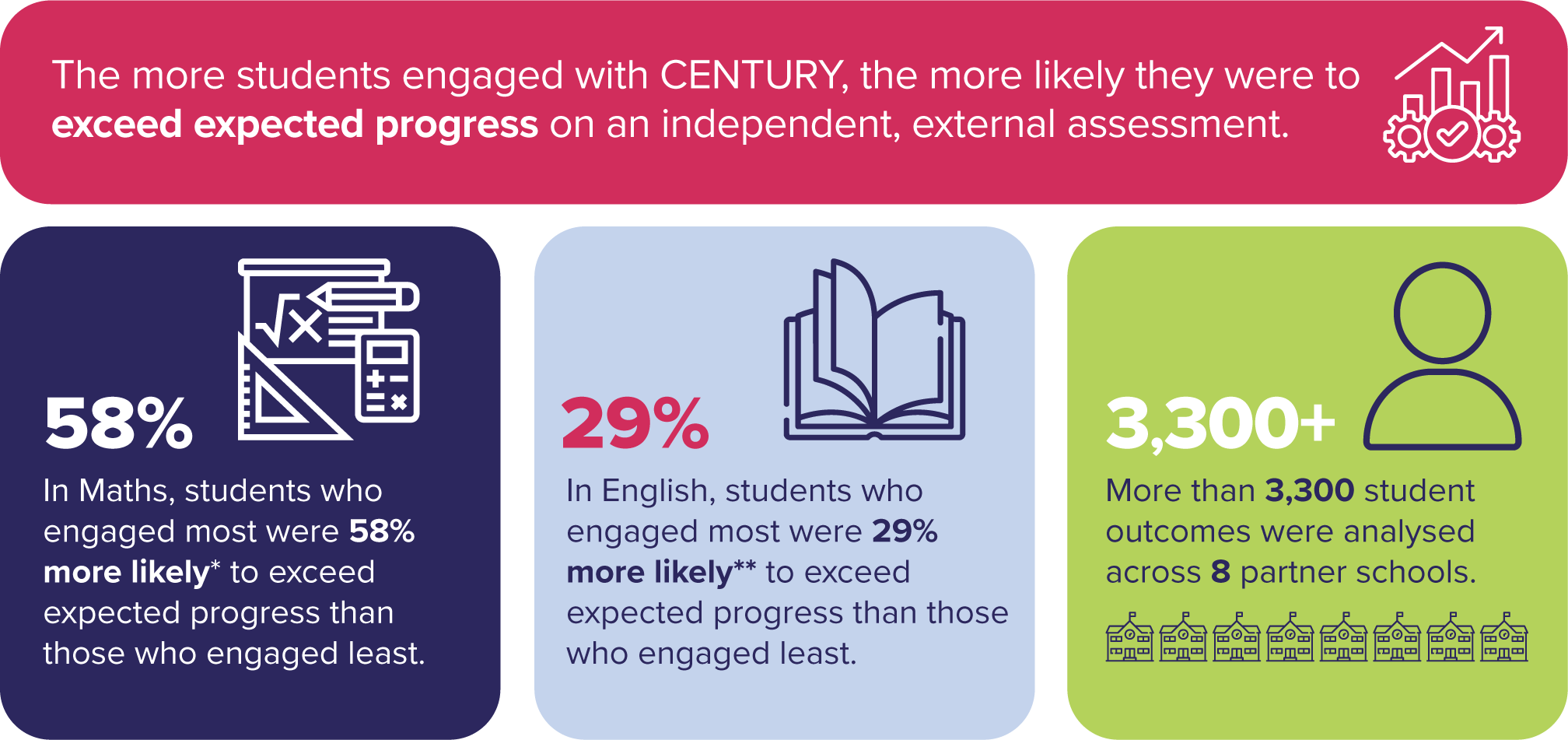
A new study of more than 3,300 progress outcomes across eight Inspired Education Group schools found students who engaged most with CENTURY were up to 58% more likely to exceed expected progress in maths and 29% more likely in English.
Read more
-

Case studies
19th October 2026
How Myanmar Vision International School delivers personalised learning for IGCSE
Myanmar Vision International School in Yangon made CENTURY the main way it teaches IGCSE maths and science. IGCSE Coordinator Andrew Rogers explains how personalised learning, backed by one-to-one support from learning guides, works for a small cohort.
Read more