Five ways CENTURY plugs straight into your ITP’s systems
Estimated reading time: 4 minutes

We know that training providers offering funded provision will already have an LMS system for enrolment and compliance, whether that’s Bud, Aptem, OneFile, eSuite or Tribal. Training providers also need a separate platform to run initial assessments to establish each learner’s starting point in English, maths or digital skills. Without integration, that means putting the same learner into both by hand. CENTURY offers LMS integrations for training providers for five major LMS platforms, plus we offer our own Connect API for MIS teams running something more bespoke.
Bud
CENTURY integrates directly with Bud, the training management platform used by a wide range of providers, letting Bud customers create CENTURY accounts straight from their existing enrolment workflow. Learners can be assigned their initial assessment in English, maths or digital skills as part of onboarding rather than being registered twice, and results flow back into Bud automatically, so tutors aren’t checking two separate systems to see how a learner got on. That matters most for providers managing wide caseloads without a dedicated Functional Skills tutor, where even a few minutes of manual entry per learner adds up quickly across an intake. Read the CENTURY and Bud partnership announcement or Bud’s own integration walkthrough for full setup detail.
Aptem
CENTURY integrates directly with Aptem, the end-to-end apprenticeship platform, folding initial assessment into onboarding rather than treating it as a separate step. Apprentices self-onboard through Aptem and complete their CENTURY initial assessment in English, maths or digital skills within the same onboarding wizard, with their CENTURY account created automatically rather than by a member of staff. Assessment results are visible directly within Aptem too, alongside CENTURY’s own dashboards, giving tutors and employers one place to see how a learner is progressing. Read the CENTURY and Aptem partnership announcement or Aptem’s own integration guide for full setup detail.
OneFile
CENTURY integrates directly with OneFile, the ePortfolio platform many ITPs already use for evidence and tracking, bringing initial assessment results straight into a learner’s existing portfolio. Once a learner’s email is verified in both systems, OneFile automatically matches the record and displays their CENTURY results on the learner’s OneFile page, with access controlled by a permission a centre manager can grant or restrict. Read the CENTURY and OneFile partnership announcement or OneFile’s integration overview for full setup detail.
eSuite
CENTURY integrates directly with eSuite by VLE Support Ltd‘s eSignUp onboarding software, bringing initial assessment into the apprentice sign-up process itself. With one click, eSignUp customers can create a CENTURY account, assign the right initial assessment, and email the learner their login details, all from within eSignUp. Once complete, results are pulled automatically onto the Training Plan document for both apprentice and employer to sign, removing a manual step that would otherwise sit between assessment and paperwork, at no additional cost to mutual customers. Read the CENTURY and eSuite partnership announcement or eSuite’s integration guide for full setup detail.
Tribal
CENTURY integrates directly with Tribal‘s EBS system, removing the gap between registration and initial assessment. Data syncs directly between EBS and CENTURY through CENTURY’s own APIs, so as soon as a new learner registers with your organisation, they can log into their new CENTURY account and complete their Smart IA assessment, without staff re-entering their details a second time. Read the CENTURY and Tribal partnership announcement or Tribal’s EBS integration documentation for full setup detail.
For bespoke integrations
Not every provider runs one of these five systems, and CENTURY’s Connect API exists for exactly that. It’s built for MISs, ePortfolios or in-house systems without an off-the-shelf integration, letting a provider’s own development team pull learner data, onboard users, manage initial assessments and access learning data directly from CENTURY, including feeding assessment and diagnostic data straight into your own reporting systems.
CENTURY’s assessments are also built to earn trust with decision-makers, not just cut admin time. As Kate Sydney, Functional Skills and Learning Support Delivery Manager at Pareto, puts it: “The results are very accurate to their actual ability, which is incredibly important for us.” Read the full Pareto case study to see how Smart IA has changed their approach to initial assessment.
FAQs
What systems does CENTURY integrate with for training providers?
CENTURY integrates directly with Bud, Aptem, OneFile, eSuite and Tribal, and offers our Connect API for providers running bespoke or in-house systems.
Does CENTURY work with an ePortfolio provider?
Yes. CENTURY integrates with OneFile’s ePortfolio platform, bringing initial assessment results directly into a learner’s existing portfolio.
What happens if my ITP doesn’t use Bud, Aptem, OneFile, eSuite or Tribal?
You can still integrate CENTURY with your own MIS, ePortfolio or in-house system through CENTURY’s Connect API, which supports onboarding, initial assessment and data access in the same way. CENTURY are happy to discuss the documentation with your technical team.
Is there an extra cost for the integrations?
CENTURY offers the Connect API free of charge for customers. Check with your LMS provider for specific details of what is included in your subscription.
How long does an integration take to set up?
Get in touch with CENTURY to access your API key, which can be plugged into your chosen LMS platform. Set up is quick, easy and secure.
For more on how CENTURY supports initial assessment and personalised learning for ITPs, see CENTURY for Training Providers, or read more on Smart IA itself.
CENTURY in the news
View all News
-

News
21st October 2026
International study finds students using CENTURY up to 58% more likely…
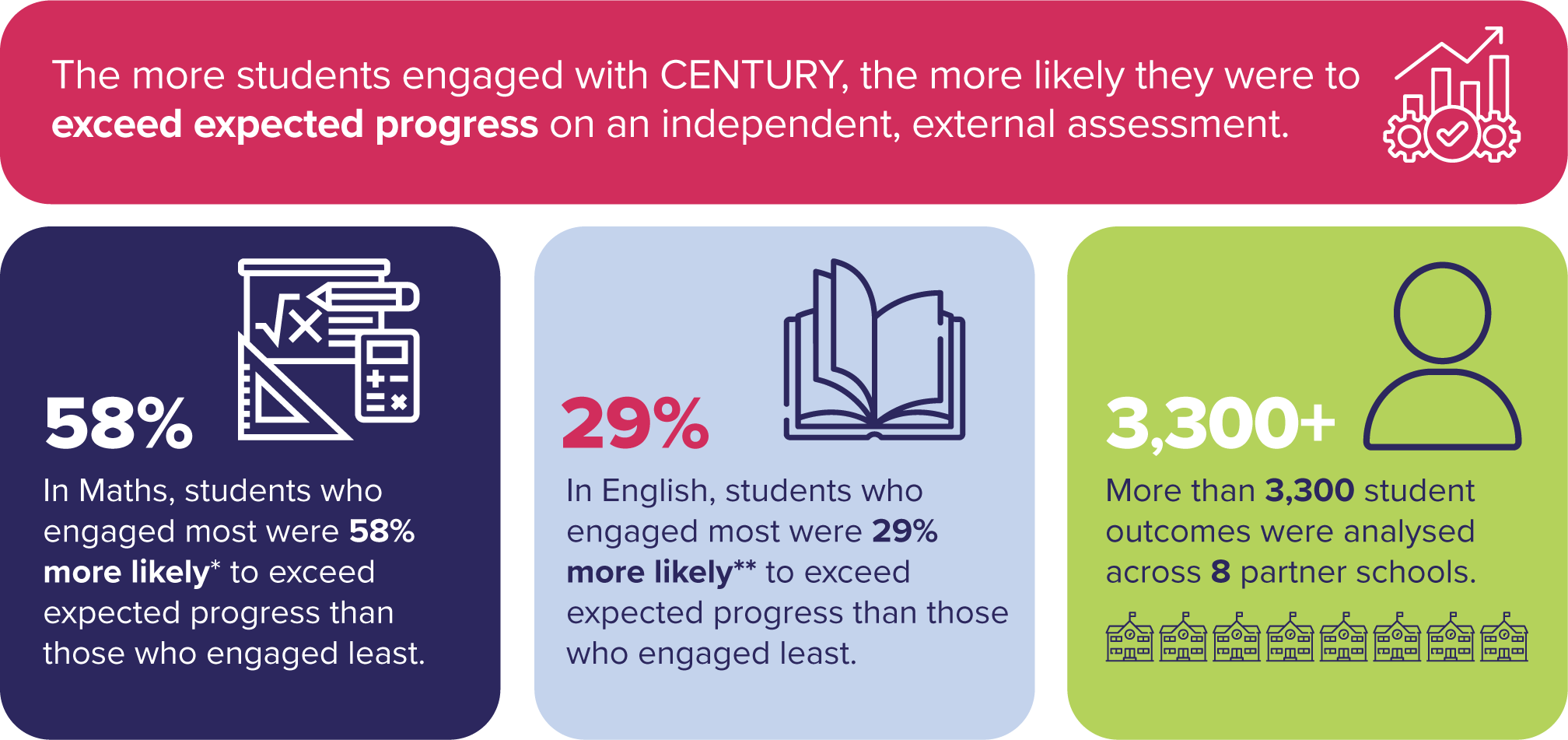
A new study of more than 3,300 progress outcomes across eight Inspired Education Group schools found students who engaged most with CENTURY were up to 58% more likely to exceed expected progress in maths and 29% more likely in English.
Read more
-

Case studies
19th October 2026
How Myanmar Vision International School delivers personalised learning for IGCSE
Myanmar Vision International School in Yangon made CENTURY the main way it teaches IGCSE maths and science. IGCSE Coordinator Andrew Rogers explains how personalised learning, backed by one-to-one support from learning guides, works for a small cohort.
Read more